Website Design for Small Business: What Makes a Site Bring in Customers
Website design for small business works when the site answers visitor questions fast and makes the next step obvious. Here is what to build and what to…
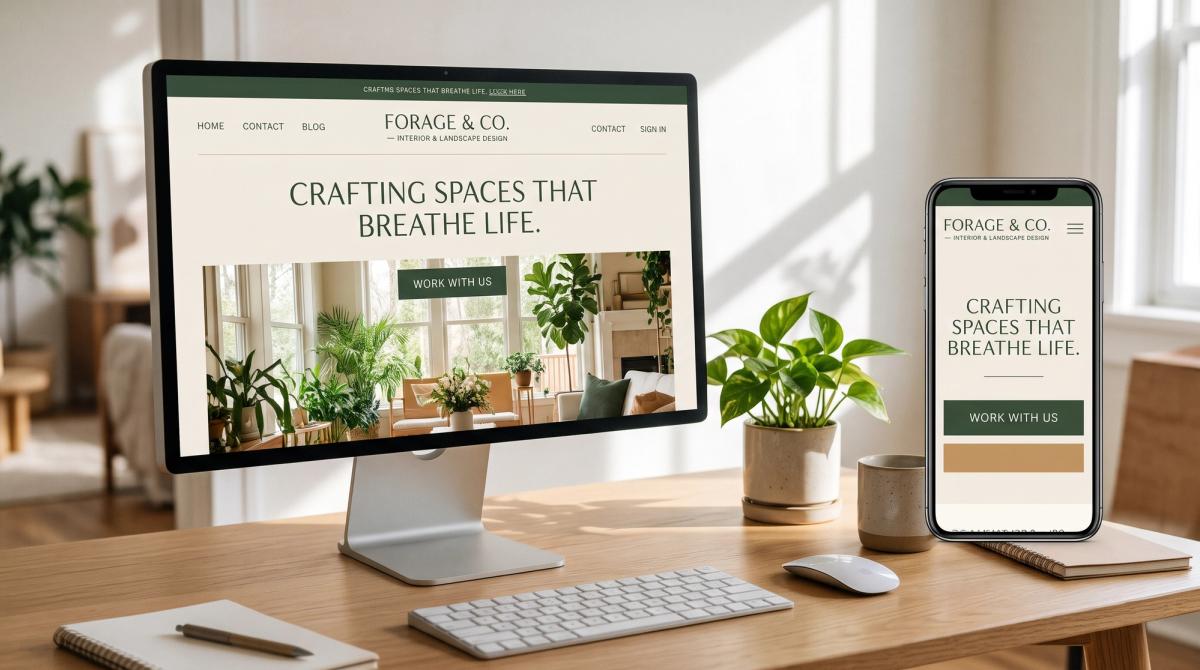
Website design for small businesses is not about looking impressive. It is about getting a stranger to understand what you do, trust you, and contact you in under a minute. A site that does those three things will outperform a beautiful one that does not.
Most small business sites fail for plain reasons: unclear messaging, slow pages, buried contact information, and no plan for what happens after someone fills out a form. This article covers what matters, in order of impact, so you can judge your own site or brief a designer with confidence.
What Makes a Small Business Website Actually Bring in Customers?
A customer-generating site has one job per page. The home page tells visitors who you serve, what you do, and what to do next. A service page explains one offer in enough detail that a buyer can decide. A contact page removes friction. When a page tries to do five jobs, visitors leave without doing any of them.
Start by writing down the single action you want a visitor to take: call, book, request a quote, or buy. Every page should point toward that action, and the button for it should be visible without scrolling on a phone.
How to Write Website Copy That Converts Visitors
Your headline should say what you do and who it is for, in plain words. Skip slogans. A visitor who lands on a page reading "Solutions for tomorrow" learns nothing, while "Residential roof repair in Grand Rapids, quotes within 24 hours" tells them whether they are in the right place.
Below the headline, answer the questions buyers ask before they call: what it costs or how pricing works, how long it takes, what happens first, and why they should trust you. Real details beat adjectives. If you have reviews, certifications, or photos of finished work, put them near the action button.
Why Site Speed and Mobile Design Matter for Small Business Websites
Many of your visitors are on a phone, often in a hurry. If the page loads slowly, the text is tiny, or the buttons are hard to tap, they go back to search results and click a competitor. Check your site on your phone over cellular data, and try to complete the action you want customers to take.
Speed problems usually come from oversized images, too many plugins, and cheap hosting. These are fixable without a redesign. Compress images, remove plugins you do not use, and test the pages that matter most, which are typically the home page and your top service page.
How to Make Your Website Easy to Find on Google
Search visibility starts with having a page for each thing you sell, written in the words customers use. A plumber with one page titled "Services" competes poorly against a plumber with separate pages for water heater replacement, drain cleaning, and emergency repair.
If you serve a local area, make your business name, address, phone number, and service area consistent across your site and your Google Business Profile. Keep titles and headings descriptive. Search ranking takes time, and no one can promise a position, so treat it as a steady habit rather than a one-time project.
What Happens After a Visitor Contacts You?
A site that generates leads but loses them in an inbox is only half built. Decide in advance who receives each inquiry, how fast they respond, and what the follow-up looks like. Many small businesses lose customers because the reply took two days, not because the site was bad.
This is where light automation pays off. A form submission can create a record in your CRM, send an instant confirmation, and notify the right person. Our guide to workflow automation for Michigan small businesses explains how to pick a first project, and the piece on GoHighLevel automation covers lead follow-up and booking in more detail.
A website is not finished when it launches. It is finished when every inquiry reaches a person who responds quickly.
Template, Custom Build, or Hire a Designer: Which Fits Your Business?
For most small businesses with a simple offer, a quality template on a mainstream platform is enough. It is cheaper, faster, and easy to update yourself. The tradeoff is limited flexibility: once you need custom booking logic, customer portals, integrations with internal systems, or pricing calculators, templates start to fight you.
That is the point to consider a custom build. The same reasoning we lay out in custom software v.s off-the-shelf applies to websites: buy what is standard, build only what gives you an advantage or removes a recurring headache. If you are unsure which side you are on, software consulting for small business is a reasonable way to get an outside opinion before committing budget.
Website Design Mistakes Small Businesses Should Avoid
- Hiding the phone number or contact button below the fold or inside a menu.
- Using stock photos instead of real photos of your team and work.
- Listing every service on one page instead of giving each its own.
- Launching with no analytics, so you cannot tell which pages produce inquiries.
- Skipping a follow-up process, so leads sit unanswered.
- Paying for features such as animations and sliders that slow the site and add nothing for buyers.
Next Step for Your Website Design for Small Business Project
Before spending on a redesign, audit what you have: can a stranger tell what you do in five seconds, is the next step obvious, is the site fast on a phone, and does every inquiry get a quick response? Fixing those four things often beats a full rebuild.
If your needs have outgrown a template, or you want the website integrated with your booking, CRM, or internal workflows, we can help you scope it for a fixed price. Book a free consultation with Resilio Partners at resilio-partners.com, and we will tell you plainly whether you need a redesign, a few fixes, or nothing at all.
Frequently asked questions
How much should a small business spend on a website?
It depends on what the site needs to do. A simple template-based site costs far less than a custom build with booking, portals, or integrations. Start with the action you want visitors to take and pay only for what supports it.
What pages does a small business website need?
At minimum, a home page, a separate page for each main service, a contact page, and proof such as reviews or photos of your work. Each page should have one clear job and one clear next step for the visitor.
Should a small business use a template or a custom website?
A quality template is enough for most small businesses with a simple offer. Consider custom work when you need booking logic, customer portals, or integrations with internal systems that a template cannot handle.
Why is my small business website not getting leads?
The most common causes are unclear messaging, slow loading on phones, a hidden contact button, and slow follow-up on inquiries. Check each of these before paying for a redesign, since fixing them is often cheaper and faster.
How can I make my website load faster?
Compress large images, remove plugins you do not use, and move off cheap hosting if it is slowing you down. Test your home page and top service page on a phone using cellular data to see what visitors experience.
AI Transparency: This article was drafted with the assistance of AI and reviewed, edited, and shaped by the author’s own opinions and experience.