Choosing an Online Booking System for Your Small Business
Choosing an online booking system for small business? Check availability, reminders, payments and no-show handling before you commit to a tool.
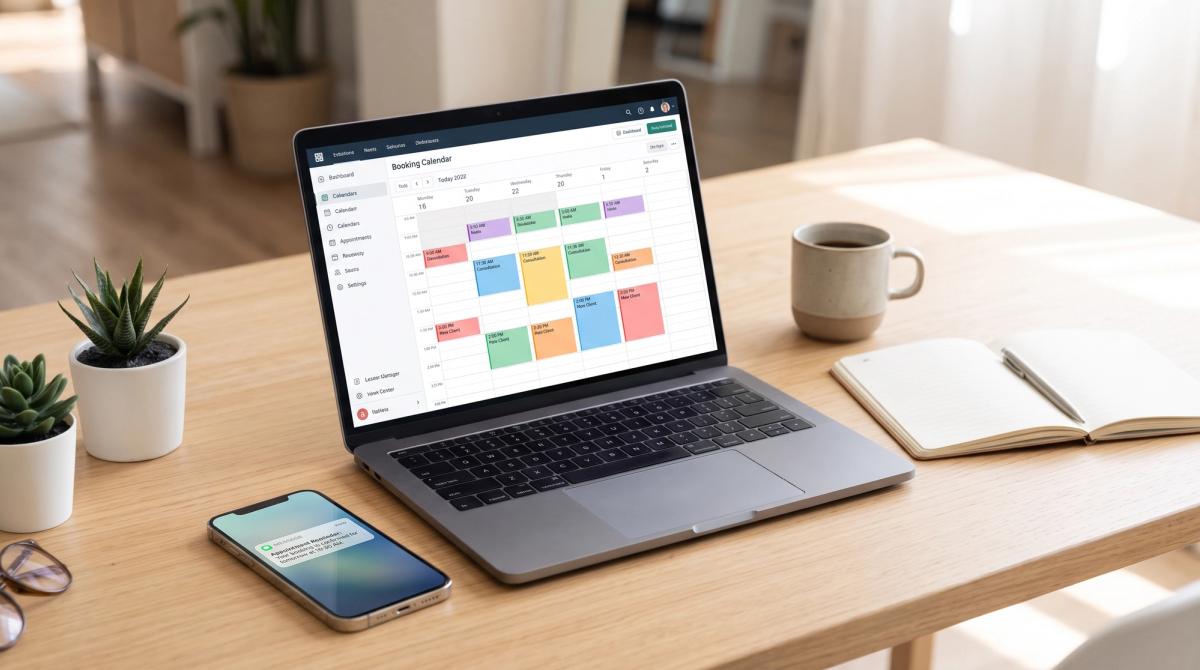
An online booking system for small businesses lets customers choose their own appointment time and keeps your calendar, reminders, and payments in sync without a phone call. Choosing one looks easy because every tool shows a clean demo. The trouble shows up three months later, when the tool does not match how your business actually takes appointments.
This article covers what a booking system should handle, the signs your phone-and-calendar routine is costing you time, the questions to ask before you pick a tool, and the cases where a tool built for one specific workflow is worth the cost.
What a Booking System Should Handle
Most booking tools list dozens of features. For an appointment-based business, four jobs matter more than the rest: availability, reminders, payments, and no-shows. If a tool does these four well for your type of work, the rest is a bonus.
Availability that matches how you really work
Your calendar is more complicated than open and closed. A stylist has different service lengths. A contractor needs travel time between visits. A clinic has rooms and staff, each with their own hours. A good system lets you set service durations, buffer time between appointments, lunch breaks, time off, and limits on how far ahead or how late someone can book.
It should also keep your own calendar as the single source of truth. If the booking tool and your personal calendar disagree, you will end up with double bookings, and customers will blame you, not the software.
Reminders that go out without anyone remembering
Reminders via text or email should be sent automatically and allow the customer to confirm, reschedule, or cancel with one tap. The reschedule part matters as much as the reminder. A customer who can move an appointment in seconds has an easy alternative to not showing up.
Text reminders come with consent rules. Under the federal rules that implement the TCPA, automated texts to a mobile phone generally need the person's prior express consent, and texts that include advertising generally need prior express written consent. Opt-out requests must be honored within a reasonable time, no longer than 10 business days. The FCC also changed parts of the opt-out rules in late 2026, including how far a "stop" reply to a reminder extends, so confirm your tool is up to date.
Email is different. The FTC's CAN-SPAM guide treats a message whose primary purpose is to confirm an agreed transaction as transactional, which is exempt from most of the law's requirements but still requires accurate sender information. Add promotions to a reminder, and it can be treated as commercial email. Ask your vendor how the tool records consent and opt-outs, and check the rules for your situation (including any state or industry rules) before you switch reminders on.
Payments and deposits
If you accept deposits, full prepayment, or card-on-file, the booking tool must connect to a payment processor you trust. Check what happens when a customer cancels: can the tool keep a deposit, refund part of it, or apply it to a later visit? Your cancellation policy should be built into the tool, not stored in your head.
Card data is sensitive. A sound setup passes card details straight to the payment processor so they never sit in your own systems. The FTC's guide to protecting personal information advises against keeping customer credit card information unless you have a business need for it.
No-show handling
No-shows cost you the appointment slot and the revenue that came with it. Tools handle this in different ways: deposits, cancellation windows, reminders, waitlists that fill open slots, and flags for customers who repeatedly skip.
Text reminders have research behind them, at least in healthcare. A Cochrane review of seven studies found attendance of about 79% with text reminders and 68% with no reminders, based on moderate-quality evidence. The review dates to 2013, so treat it as a direction rather than a promise for your business. We have not verified a comparable figure for deposits. Pick the tools that fit your customers. A deposit that suits a salon may feel heavy for a quick consultation.
Signs Your Phone-and-Calendar Process Is Costing You Time
Many owners stay with phone calls and a paper or shared calendar because it works well enough. It does work until it quietly starts eating hours. Here are the signs we look for when a business tells us scheduling feels heavier than it should.
The first sign is back-and-forth. If booking one appointment takes three or four messages to settle on a time, and that happens many times a week, the time adds up. The second sign is after-hours requests. Customers try to book at night or on weekends, nobody answers, and some of them go elsewhere. You will not see those lost bookings in any report, which is why they are easy to ignore.
The third sign is mistakes. Double bookings, missed reminders, appointments scheduled in the wrong slot, and cancellations that nobody noticed until the customer wasn’t there. The fourth is that one person holds the whole system in their head. If the person who answers the phone goes on vacation or leaves, scheduling stops working.
If two or more of these sound familiar, a booking system is worth a serious look. If you recognize broader patterns, such as the same handoffs failing in other parts of the business, our piece on 7 signs you need process optimization can help you decide whether scheduling is the real problem or just the most visible one.
Questions to Ask Before You Choose
Ask these questions of any vendor, and test the answers in a free trial with your real services, not the sample data in the demo.
Does it fit your real services and staff?
Set up your three most complicated appointment types in the trial. Include one that needs a deposit, one with two staff members, and one that needs a buffer or travel time. If the tool cannot handle them, or needs awkward workarounds, you have your answer.
Where does the booking link live?
A booking system only helps if customers can find it. Check that you can place a booking button on your website, your social profiles, and in email signatures. You can also add a booking link to your Google Business Profile so customers can book from Google Search and Maps. Open the booking page on a phone, since many customers will use one. If the page is slow or awkward to tap through, people will leave. Our article on website design for small business covers how to make the next step obvious on your site.
Can everyone use the booking page?
Customers who use screen readers or navigate by keyboard need to be able to book, too. The Justice Department's web accessibility guidance says the ADA applies to what businesses open to the public offer on the web. It does not mandate a single technical standard for them, but points to the Web Content Accessibility Guidelines (WCAG) as helpful guidance. Ask the vendor how their booking page handles accessibility, and test it yourself by moving through the page using only your keyboard.
What happens to your data if you leave?
Your customer list and appointment history are business assets. Ask whether you can export them in a usable format, who owns them, and what the tool does with them. Switching tools later is much easier when your data is not locked in.
Does it connect to the tools you already use?
If you use accounting software, a customer list, or email marketing, check whether the booking tool shares data with them or requires you to retype information. When a direct connection does not exist, a connector tool can often bridge the gap, as we explain in our post on how Make.com integrations replace manual busywork.
Test a booking tool with your messiest appointment type, not your easiest one.
When a Tool Built for One Workflow Is Worth It
Most small businesses should start with an existing booking product. It is usually faster to set up and cheaper, and someone else maintains it. We think that is the right default, and we cover the broader trade-offs between custom software and off-the-shelf in our custom software vs off-the-shelf guide, so we will not repeat them here.
There are cases where a booking tool built for one specific workflow earns its cost. Think of a regional service company that has to match a job to a technician based on skills, location, and truck inventory, then update a work order afterward. Or a Michigan clinic where each appointment type triggers a different intake form, a different prep checklist, and a different follow-up. A generic scheduler can handle a time slot. It struggles when the booking has to kick off a chain of other steps.
Three signals suggest a custom tool may be worth discussing. You are paying for a booking product and still doing a lot of manual work around it—your rules for who can book what and when are too specific for the tool’s settings. Or your staff keep manually copying booking details into a second system.
Even then, custom does not have to mean big. Our work is mostly software built for one specific need in a company's business, and a small, focused tool is often enough. If you are weighing options, our guide to software consulting for small businesses walks through the build, buy, or hire-out options.
A Simple Way to Decide
Write down how a booking moves through your business today, from the first customer request to the follow-up after the visit. Mark each step as handled by a person or by a system. The steps where a person is just moving information from one place to another are the ones to automate.
Then run a two-week trial of one or two tools using real bookings. Count how many bookings needed a manual fix. If the number is low, you have found a fit. If it stays high, either the tool is wrong, or your process needs work before any tool will help.
If you want a second opinion on whether an off-the-shelf booking tool will cover your needs or whether something more tailored makes sense, you are welcome to book a call at resilio-partners.com. We are happy to talk it through, with no pressure to buy anything.
Sources
- 47 CFR 64.1200, TCPA rules (Cornell Legal Information Institute)
- FCC final rule on revoking consent, FCC 26-67 (Federal Register)
- FTC: CAN-SPAM Act compliance guide for business
- FTC: Protecting Personal Information, a guide for business
- Cochrane review: mobile phone messaging reminders for healthcare appointments
- Google Business Profile Help: links on your profile
- ADA.gov: guidance on web accessibility and the ADA
Frequently asked questions
What should an online booking system for a small business include?
At a minimum, it should handle availability, automatic reminders, payments or deposits, and no-show policies. Availability should reflect your real service lengths, staff, and buffer times. It should also keep your own calendar as the single source of truth so you avoid double bookings.
How do I know if I need an online booking system?
Look for repeated back-and-forth to settle times, lost after-hours requests, double bookings, and scheduling that depends on one person. If two or more of those sound familiar, a booking system is worth testing. These are the signs we look for when scheduling starts costing a business time.
What questions should I ask before choosing a booking tool?
Ask whether it handles your most complicated appointment types, where the booking link can live, and whether the booking page works well on a phone and for people using assistive tools. Also ask whether you can export your customer data and whether it connects to your other software. Test the answers in a free trial with real services.
Should I use an off-the-shelf booking tool or build a custom one?
Most small businesses should start with an existing product, because it is faster to set up and someone else maintains it. Custom becomes worth discussing when you still do a lot of manual work around the tool, your booking rules are too specific for its settings, or staff copy details into a second system. Our custom software vs off-the-shelf article covers the wider trade-offs.
How can a booking system reduce no-shows?
Tools use deposits, cancellation windows, automatic reminders with easy rescheduling, and waitlists that fill open slots. We do not have a verified figure for how much each one helps, so choose the options that suit your customers. A deposit that fits a salon may feel heavy for a quick consultation.
AI Transparency: This article was drafted with the assistance of AI and reviewed, edited, and shaped by the author’s own opinions and experience.